Enrolling in Medicare Part B for CMS's ACCESS Model
A practical, step-by-step playbook for digital health companies to become Medicare Part B-enrolled organizations eligible for outcome-aligned payments.

A Note from the Author
Medicare Part B enrollment can feel intimidating—an alphabet soup of acronyms, bureaucratic hurdles, and archaic processes. I wanted to demystify it.
My father ran a private primary care practice in South Texas for over 30 years. My mom was the office manager. My brothers and I spent our formative years answering phones at the front desk, shadowing him on patient visits, and watching the administrative machinery of a small practice in action. Years later, during my orthopedic trauma fellowship, I helped him sell that practice to a regional ACO—resetting PECOS passwords and troubleshooting MIPS reporting along the way.
I've pored through the CMS website and consolidated what I've learned into this practical reference. I welcome input from those with more experience. Most importantly, I hope that Part B enrollment doesn't become the barrier that stops a digital health company with an excellent platform from participating in the ACCESS Model.
Medicare Part B Enrollment 101: What It Means and Why It Matters
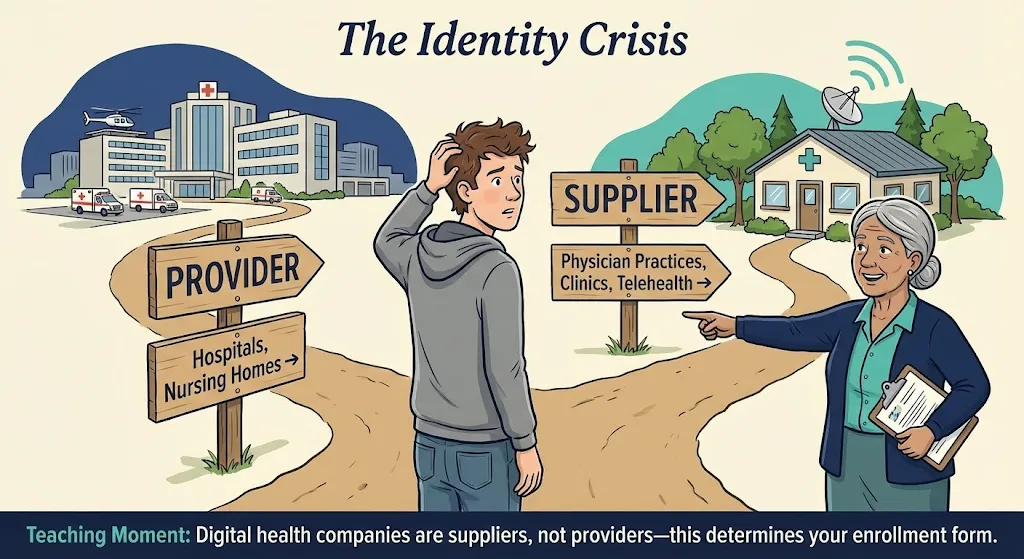
What is a Medicare Part B-enrolled provider/supplier? In Medicare terminology, providers typically refer to institutions (like hospitals) and suppliers refer to individuals or entities that furnish Part B medical services (e.g. physician practices, clinics).[1] For our purposes, being Medicare Part B-enrolled means your organization (e.g. your virtual clinic or medical group) is officially registered with Medicare to provide covered services to Medicare beneficiaries and bill Medicare Part B for payment. Essentially, you're on Medicare's list of approved health care entities.
Who is eligible to enroll? Generally, any individual practitioner (physician, nurse practitioner, physician assistant, etc.) or group practice that meets licensing requirements can enroll in Medicare Part B. Digital health startups usually establish a medical group or clinic (with clinicians on staff) to deliver care—that entity can enroll as a "clinic/group practice" supplier. You'll need at least one licensed Medicare-eligible clinician (e.g. an MD/DO or certain non-physician practitioners) associated with your organization to serve as the enrolling provider.
In fact, the ACCESS model requires participants to designate a physician Clinical Director and ensure all clinicians delivering care are individually Medicare-enrolled and affiliated with the organization.[2][3] If you're a pure software company, you'll likely need to partner with or hire medical providers and form a clinical entity to enroll.
Key obligations of Medicare-enrolled entities:
Enrolling in Medicare is like entering a regulated contract with the federal government. Some core commitments include:
- Follow Medicare rules and regulations: You must comply with Medicare coverage policies, coding and billing rules, and all relevant federal laws (like HIPAAThe Health Insurance Portability and Accountability Act (HIPAA) sets national standards for protecting sensitive patient health information. All Medicare providers must comply. for patient privacy and security). You are subject to oversight by CMS and its contractors.
- Maintain state licensure & scope of practice: All clinicians must have valid licenses in the states where patients are treated. Services must be delivered within each provider's scope of practice under state law. CMS requires that participants meet all applicable federal and state requirements.[2]
- Medicare "participating" status: Upon enrollment, you'll choose whether to be a participating providerParticipating providers agree to accept Medicare's approved amount as full payment. Medicare pays 80%, patient/secondary pays 20%. You can't charge above the fee schedule rate. This is highly recommended for ACCESS.. You'll typically sign the Medicare Participating Physician or Supplier Agreement (Form CMS-460) during enrollment.[4]
- Billing under Medicare Part B: Once enrolled, you can bill Medicare for covered services under the Physician Fee Schedule (PFS). Medicare will issue your organization a PTANPTAN (Provider Transaction Access Number): A unique identifier assigned by your MAC for billing purposes. Different from your NPI—you need both to submit Medicare claims. linked to your National Provider Identifier (NPI).
- Update information and revalidate: Changes in ownership, practice location, or legal status must be reported within 30 days; other changes (phone number, personnel) within 90 days.[5] Medicare requires revalidation typically every 5 years. Failure to update or respond to revalidation can result in billing privileges being revoked.[6]
- Program integrity and screening: You and your key owners/managers will undergo background screening. Any individual with certain felonies or exclusions from federal health programs can cause denial. You must also disclose any adverse legal actions on your application.
- Patient access: Unlike some value-based programs, Medicare enrollment does not obligate you to take every Medicare patient. You retain control over your services. However, you cannot discriminate based on race, religion, or health status. ACCESS participants will be listed on a public CMS directory.[7][8]
Why Part B enrollment is required for ACCESS:
The ACCESS model is a Medicare initiative that pays for technology-enabled chronic care. CMS explicitly states that to participate, an organization "must be enrolled in Medicare Part B as [a] provider or supplier".[9] This is non-negotiable—CMS will not waive the enrollment requirement even for innovative startups.[10]
Enrolling in Part B establishes the necessary billing framework (you'll use your Medicare enrollment to submit the model's G-codesG-codes are HCPCS codes used for procedures not described by CPT codes. ACCESS will use model-specific G-codes to process outcome-aligned payments through the Medicare claims system. for payment). It also subjects you to Medicare's oversight, which gives CMS confidence in your reliability. In short, Part B enrollment is the gateway to receiving Medicare payments, whether traditional fee-for-service or the new ACCESS payments.
CMS Has Excellent Resources
The CMS website offers comprehensive guidance on provider enrollment. Start with the Medicare Enrollment Guide and the PECOS portal—they're the authoritative sources for the latest requirements.
Step-by-Step: Enrolling via PECOS
Medicare provider enrollment can seem daunting, but CMS's online system PECOS (Provider Enrollment Chain & Ownership System) streamlines the process. PECOS lets you submit your application electronically and is faster than paper (often 2–4 weeks faster).[11][12] Below, we walk through the enrollment process for a virtual-first group practice.
2.1 Prepare Required Information and Documents
Before logging into PECOS, gather all necessary data and documents. Missing pieces are a leading cause of delays or denials.
Pre-Enrollment Checklist
-
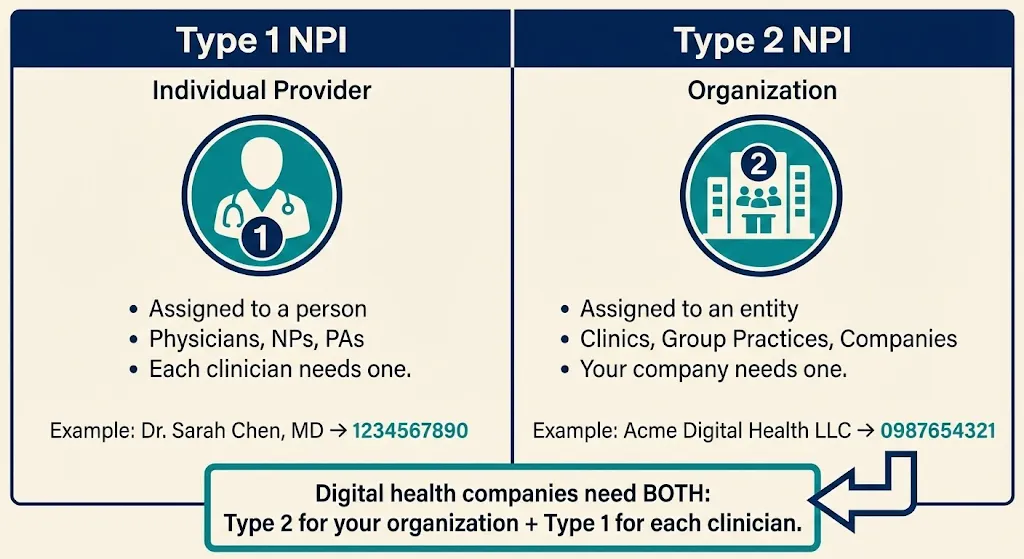
National Provider Identifiers (NPIs)You'll need a Type 2 NPIType 1 NPI = Individual provider (a person—physician, NP, PA)
Type 2 NPI = Organization (group practice, clinic, company)
You need a Type 2 for your organization. Individual clinicians need their own Type 1 NPIs. for your organization. Obtain one free from NPPES.[13] Also have Type 1 NPIs for individual clinicians. -
Legal Business InfoExactly as registered with the IRS: legal business name, Tax ID (TIN/EIN), business type (LLC, C-Corp, PC), and date of formation. Name and TIN must match IRS records exactly.
-
Practice Location AddressRequired even if virtual. Cannot be a P.O. box. If fully virtual, list a home office or admin address and mark it "Telehealth/Administrative Only"—CMS won't publish it publicly.[14][15][16][17]
-
Licenses and CertificationsCopies of state professional licenses for each clinician (medical license, NP license, etc.). Ensure licenses are active in states you plan to serve.
-
Ownership and Management DetailsDisclose all owners (5% or greater) and managing individuals (Officers, Directors). For each: legal name, SSN, DOB, position, home address. Organizational owners need FEIN.
-
Authorized OfficialAn Authorized Official (AO)Authorized Official (AO): An officer/owner who can legally bind the company and sign enrollment applications. Usually the CEO, CMO, or physician-owner.
Delegated Official (DO): Someone authorized to make updates on behalf of the organization but cannot sign initial applications. is an officer/owner who can legally bind the company. They must sign the initial enrollment and have an I&A account. -
Bank Account for EFTMedicare pays electronically. Prepare bank name, routing number, account number. You'll complete CMS Form 588 (EFT Authorization).[18][19]
2.2 Create an I&A (Identity & Access) Account
PECOS requires CMS login credentials via the Identity & Access Management System. Go to pecos.cms.hhs.gov and select "New User? Register Here." Each person who needs to work on the application must have their own account—no sharing credentials.[20][21][22]
2.3 Log In to PECOS and Start a New Enrollment
Once in PECOS, you'll link your I&A account to your organization's EIN. Then navigate to "My Enrollments" and create a new application. Select "Clinic/Group Practice" as your provider type—PECOS will automatically select the correct form (CMS-855B).[24][25]

No Application Fee for Physician Groups
Medicare charges a hefty fee (~$700) to institutional providers, but physician practices do not pay this fee.[26] If PECOS asks for payment, double-check your provider type selection.
2.4–2.7 Complete the Application
PECOS will guide you through sections covering organization information, ownership, practitioner reassignments, and document uploads. The key steps:
Enter Organization Information
Input Legal Business Name exactly as on IRS documents (including punctuation). Enter EIN, entity type, practice location. Mark virtual addresses as "Telehealth/Administrative Only."
Consistency is key: The name, TIN, and addresses must match across all sections and supporting documents.
List Owners, Directors, and Key Personnel
Enter each individual or entity with ≥5% ownership. Provide SSN, DOB, address, ownership percentage. List managing employees (CEO, Medical Director) even if they don't own shares.
Answer screening questions honestly—convictions, exclusions, license actions must be disclosed.[27]
Reassign Practitioner Benefits (CMS-855R)
Link each clinician's individual Medicare enrollment to your group. This allows them to bill under your organization's TIN. Each provider must approve electronically or sign a paper CMS-855R.
ACCESS requires all practitioners to "have reassigned their Medicare billing rights to the participating TIN."[3]
Upload Documents
PECOS generates a list of required uploads: IRS EIN letter, EFT authorization (CMS-588), voided check/bank letter, professional licenses, and CMS-460 (participation agreement).
Consider uploading a cover letter explaining your telehealth setup to avoid confusion.
Sign and Submit
The Authorized Official reviews the application summary, electronically signs, and submits. You'll receive a tracking ID. Monitor status in PECOS under "My Enrollments."

2.8 After Submission: Approval and Next Steps
Your regional MACMedicare Administrative Contractor (MAC): Regional contractors that process Medicare claims and handle provider enrollment. Your practice location determines which MAC you work with. (Medicare Administrative Contractor) will process your application. Processing typically takes 45–90 days.[29] They may contact you for additional information—respond promptly to avoid delays.[101]
Upon approval, the MAC sends a letter with your PTAN (Provider Transaction Access Number) and effective date. Keep this letter—you'll need it for the ACCESS application. Congratulations—you're enrolled! Your digital health company is now a Medicare Part B supplier, eligible to sign a participation agreement for the ACCESS model.[31]

Medicare Physician Fee Schedule (PFS) Basics
Medicare Part B primarily pays for services under the Physician Fee Schedule (PFS)—essentially a catalog of services and payment rates. Here's what a Part B supplier should know:
- CPT/HCPCS Codes: Every billable service has a code. Under PFS, you submit claims with these codes and Medicare pays the pre-set amount (adjusted by region).
- Supplier billing under PFS: You'll use your clinicians' NPIs and your group NPI/TIN to submit claims. Payment is typically 80% from Medicare (patients have 20% coinsurance). You cannot arbitrarily set prices—it's governed by the PFS.
- Updates and geographic variation: The PFS is updated annually. Payment rates vary by location due to Geographic Practice Cost Indices (GPCIs).
Why PFS matters for ACCESS:
ACCESS introduces Outcome-Aligned Payments (OAPs)—fixed, periodic payments tied to patient outcomes rather than specific services.[32] ACCESS "replaces traditional fee-for-service billing with fixed recurring payments" for participants. However, these payments are implemented through the existing claims system using special HCPCS G-codes.
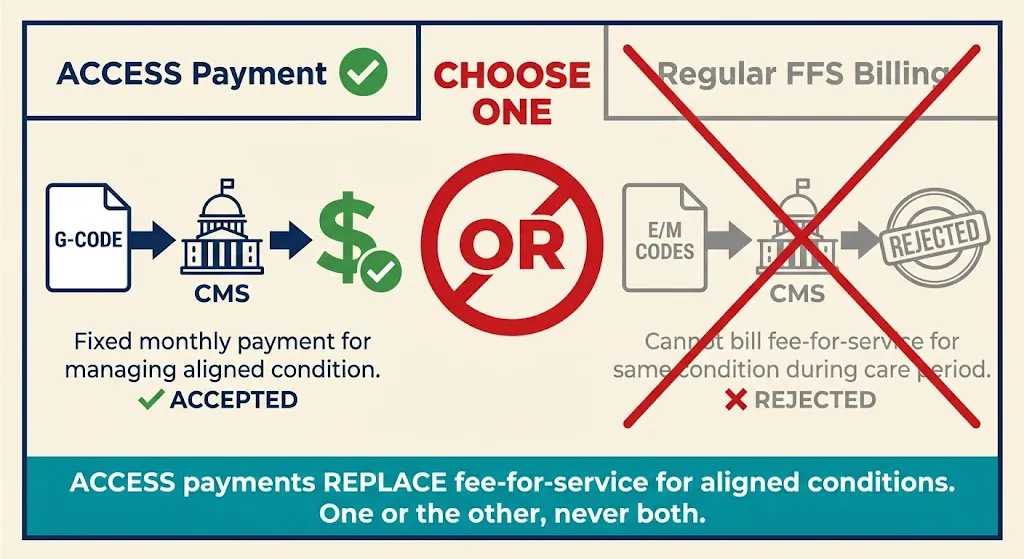
While an ACCESS patient's chronic care is covered by the model payment, you generally "may not bill any Medicare FFS claims" for those patients' aligned condition during the ACCESS care period.[33] Understanding these boundaries prevents double billing.
Coordinating providers: ACCESS allows patients to keep seeing their primary care providers. Those outside providers bill Medicare normally. ACCESS introduces a small co-management fee (~$100/year per patient) payable to patients' primary care doctors for collaborating.[34][35]
Common Misconceptions—Clarified

Digital health startups often hear conflicting information. Let's clear up common misunderstandings:
❌ Myth
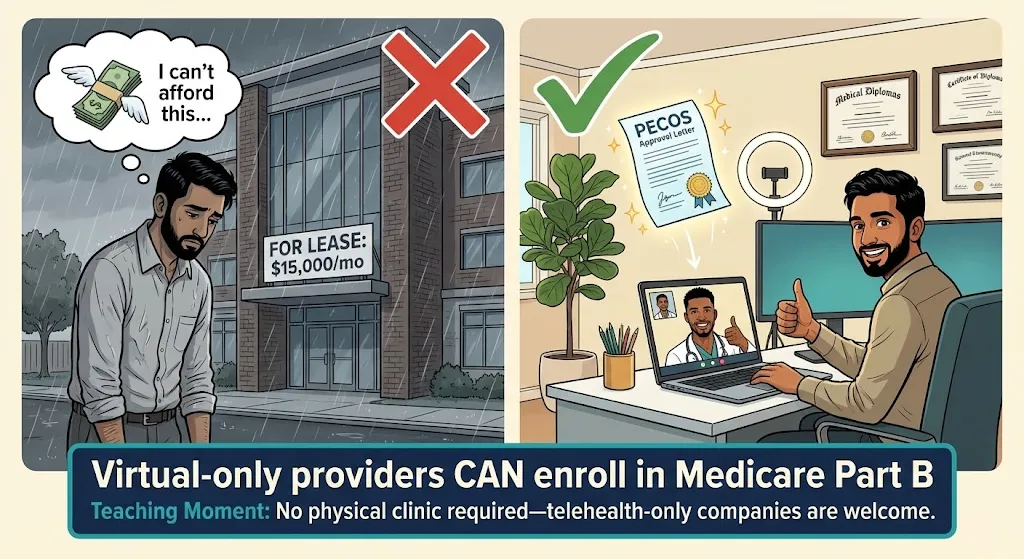
"We need a physical clinic to enroll in Medicare."
✓ Fact
Medicare does not require a brick-and-mortar clinic. Virtual providers can absolutely enroll. Use a home office or admin address marked "Telehealth/Administrative Only."[15][17]
❌ Myth
"We're a software company, not a provider—we can't enroll."
✓ Fact
A software company that hires/contracts clinicians can establish a clinical entity and enroll. CMS expects many "technology-enabled care organizations" will formalize as Medicare providers.[36][38]
❌ Myth
"ACCESS is an innovation model, so normal Medicare rules don't apply."
✓ Fact
Participants must follow all baseline rules unless explicitly waived—HIPAA, civil rights, fraud/abuse laws. The model offers new payment methods within existing compliance frameworks.[2]
❌ Myth
"During an ACCESS care period, we can still bill some fee-for-service."
✓ Fact
Mostly false. When a patient is aligned for a condition, you cannot bill regular Part B FFS for managing that condition. ACCESS payments replace FFS for that scope.[33]
❌ Myth
"If we join ACCESS, we have to treat all Medicare patients."
✓ Fact
No. Participation is voluntary for providers and patients. You can define your scope and capacity. Just don't cherry-pick in discriminatory ways.[7][39]
❌ Myth
"We can't afford Medicare's fees and audits."
✓ Fact
No application fee for physician practices.[26] While compliance requires effort, ACCESS opens a new revenue stream for tech-enabled care that wasn't reimbursed before.
In short, digital health companies can succeed in Medicare—you just need to navigate the enrollment process and follow the rules.
After Enrollment: Meeting ACCESS Requirements
Enrolling in Medicare was the first big step. Now, as a Part B provider aiming to join ACCESS, your organization takes on a set of ongoing responsibilities. Think of this as your operational checklist post-enrollment.
5.1 Regulatory Compliance and Clinical Standards
Continue operating as a compliant Medicare supplier. Key areas:
- Privacy (HIPAA): Ensure all patient data handling meets HIPAA requirements. Have a Notice of Privacy Practices, train staff, use secure systems for PHI.
- Quality and safety: CMS will monitor participant outcomes. Establish internal quality metrics, hold clinical team meetings, conduct chart reviews. If using digital therapeutics, ensure compliance with any FDA requirements.[45]
- Fraud and abuse compliance: Establish policies to avoid fraud. Train staff on Anti-Kickback Statute rules. Be mindful of Stark Law if physician owners refer patients. Keep thorough documentation.
5.2 Delivering Care Under the ACCESS Model
ACCESS is outcomes-driven and offers flexibility in how you deliver care:
- Care model and scope: Choose clinical tracks (Cardio-metabolic, MSK pain, Depression/Anxiety, etc.).[46] Manage each patient's qualifying condition for a 12-month care period using virtual visits, remote monitoring, coaching, digital therapeutics—whatever improves outcomes.[47][48]
- Patient onboarding and consent: Obtain written consent from beneficiaries. Make onboarding user-friendly but thorough.
- Coordination with other providers: Share care plans and periodic updates with patients' PCPs.[50][51] Use secure electronic methods (Direct messaging, HIE portals, FHIR-based exchange). Document coordination attempts.
- Patient accessibility: Offer multiple touchpoints—nurse or coach for questions, app for monitoring, periodic virtual visits. Consider 24/7 support for urgent issues.
5.3 Billing and Payment Infrastructure
Even though ACCESS isn't standard FFS, you need robust billing infrastructure:
- MAC relationship: All claims (including G-codes) go to your regional MAC.[60] Set up EDI through a clearinghouse.
- G-code billing: ACCESS uses model-specific G-codes submitted like regular claims.[63][60] You'll submit monthly claims for each patient. Expect additional guidance on codes in 2026.
- Partial withholds: CMS mentioned outcome-based adjustments.[67][68] You may get 70% monthly with 30% held until outcome verification. Track withholds carefully.
- No patient billing: During active care, don't bill patients for co-pays—OAPs have no beneficiary cost-sharing.[69][51]
5.4 Outcomes Reporting via FHIR API
ACCESS requires reporting clinical outcomes via FHIR API:[70][71][72][73]
- Measurement types: Patient-Reported Outcome Measures (PROMs), clinical data (blood pressure, A1C), and potentially composite scores.
- FHIR resources: CMS may use FHIR Observation resources for vitals, QuestionnaireResponse for PROMs. Ensure your team understands FHIR basics.
- Other APIs: Eligibility API to confirm beneficiary status, Alignment API to enroll patients, Claims data API (BB/BCDA) for care coordination.[74][75][76]
- Integrity: Submit actual measured values. Be prepared for audits—misreporting outcomes could be a false claim.
5.5 Ongoing Admin
- Revalidation: Update PECOS for changes. Respond to revalidation requests (every 5 years).[6]
- Communication: Subscribe to MAC email updates and ACCESS listserv. Attend CMS webinars.
- Audits: Anticipate program integrity audits of records, enrollment compliance, and patient outreach practices.
Costs and Administrative Burden
Enrolling in Medicare and participating in ACCESS is an investment. Here's what to budget:
Enrollment Costs
No application fee for physician practices.[26] Incidental costs include NPI registration (free), possibly notarizing documents. If using a credentialing consultant, that varies. Expect 10–20 hours of staff time for careful initial enrollment.
Staffing and Training
- Billing/coding expertise: A medical biller or RCM service familiar with Medicare (~$500–$1,000/month for small volume, or ~5% of collections).
- Compliance: Assign a compliance officer. Budget for periodic healthcare attorney consultations (~$10k–$20k/year at startup size).
- IT integration: FHIR API development, data reporting pipelines. Could range from minimal (existing tools) to tens of thousands (custom build).
- Clinical staffing: At minimum, one physician Medical Director[27] plus NP/PA or RN care managers. Plan your care team ratio vs. expected payments.
Infrastructure and Tools
- EHR/care management: Low-cost options exist. Ensure you can produce CMS claims files.
- API systems: Budget for FHIR connectivity—DIY or subscribe to middleware services.
- Devices: If providing RPM devices (BP cuffs, glucose monitors), factor in hardware and shipping costs.
Ongoing Administrative Overhead
Plan for monthly claims submission, quarterly outcome reports, patient coordination documentation, revalidation every 5 years, and audits. Many startups find that after the initial learning curve, Medicare operations become routine.
Applying to ACCESS
With Medicare enrollment complete, you're ready to apply for the ACCESS Model:
- Request for Applications (RFA): CMS has released the ACCESS Model RFA.[82] Initial applications are due by April 1, 2026 for the first cohort.[83] The model accepts new participants through 2033 on a rolling basis.[78]
- Medicare enrollment proof: The application requires your Medicare CCN/PTAN. "Applicants will need to enroll in Medicare Part B prior to executing a participation agreement."[10]
- Interest form: CMS has an Interest Form on their site[84][85]—fill it out to get on their email list.
- Participation Agreement: If approved, you'll sign a formal contract with CMS governing model participation.
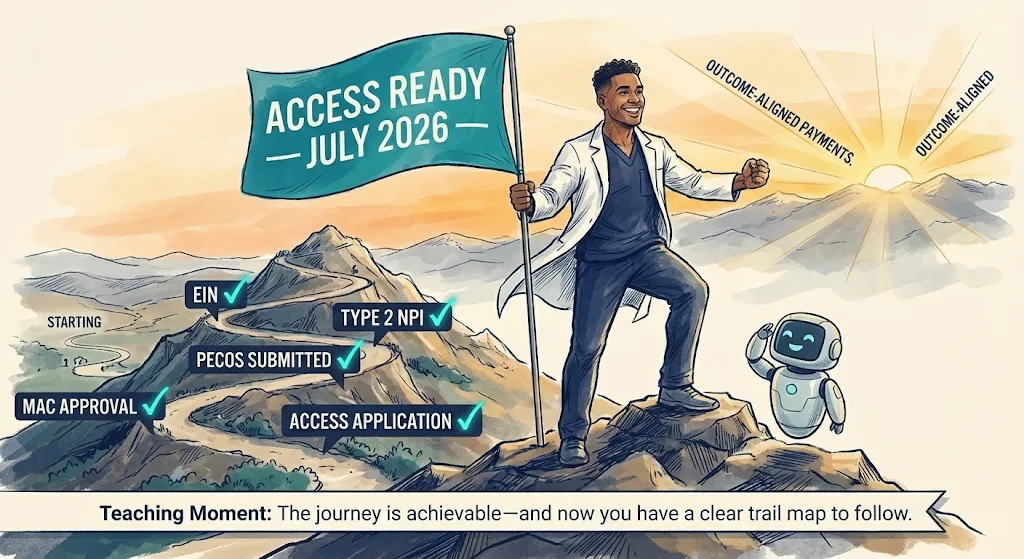
Plan Your Path to July 2026
Working backward from the ACCESS launch date:
Resource Library

PECOS Portal
Submit and manage your Medicare enrollment online
pecos.cms.hhs.govNPPES (NPI Registry)
Apply for Type 1 and Type 2 NPIs
nppes.cms.hhs.govMedicare Enrollment Guide
Official CMS guidance for providers and suppliers
cms.govACCESS Model FAQ
Technical questions answered by CMS
cms.gov/innovationACCESS Request for Applications
Full RFA document with model details
Download PDFIRS EIN Assistant
Apply for your Employer Identification Number
irs.govCommon Pitfalls and How to Avoid Them
Let's conclude with pitfalls to avoid so your enrollment and model launch go smoothly:
1 Incomplete or inconsistent application
The #1 cause of delays. Ensure information on your IRS letter, NPPES NPI registry, and PECOS application matches exactly—including punctuation.[97][98]
2 Wrong signatory as Authorized Official
Only certain individuals (officers/owners) can sign. If you list someone who isn't actually an owner/officer, your app can be rejected.
3 Forgetting to e-sign or missing the 20-day window
PECOS sends an e-signature email. If you don't complete it within 20 days, the application auto-cancels.[99][100]
4 Missing supporting documents
MAC requests for additional documents delay processing. If PECOS indicates "Required," upload it.
5 Delayed response to MAC development requests
If the MAC emails for more info, a 30-day clock starts. Many denials happen because requests sat in spam.
6 Mis-categorization (thinking digital health can't enroll)
Some startups try to enroll as DME suppliers or labs. This can impose unnecessary requirements or fees.
7 Not reassigning providers properly
If clinicians aren't linked to your group, you'll face claim rejections later.
8 Ignoring state corporate practice of medicine rules
Medicare may approve you, but if your state law says an LLC can't provide medical services, you could face issues.
9 Underestimating timeline
Don't assume enrollment happens "next week." It often takes 60–90 days, sometimes longer.[29]
10 Billing FFS by mistake during model participation
Old habits die hard. Your billing team might unknowingly submit a FFS claim for something covered by ACCESS.
11 Poor outcome tracking leading to payment loss
If you don't accurately measure and report outcomes, you may not get the full outcome-based payment.
12 Neglecting PCP coordination requirements
ACCESS requires you to communicate with referring providers. Failure to document coordination could violate model terms.